Beautiful prayer displays,
managed from anywhere
Stop printing paper timetables. PrayDisplay lets your mosque upload prayer times once and display them beautifully on any TV — with real-time updates, custom branding, and a mobile app for your congregation.
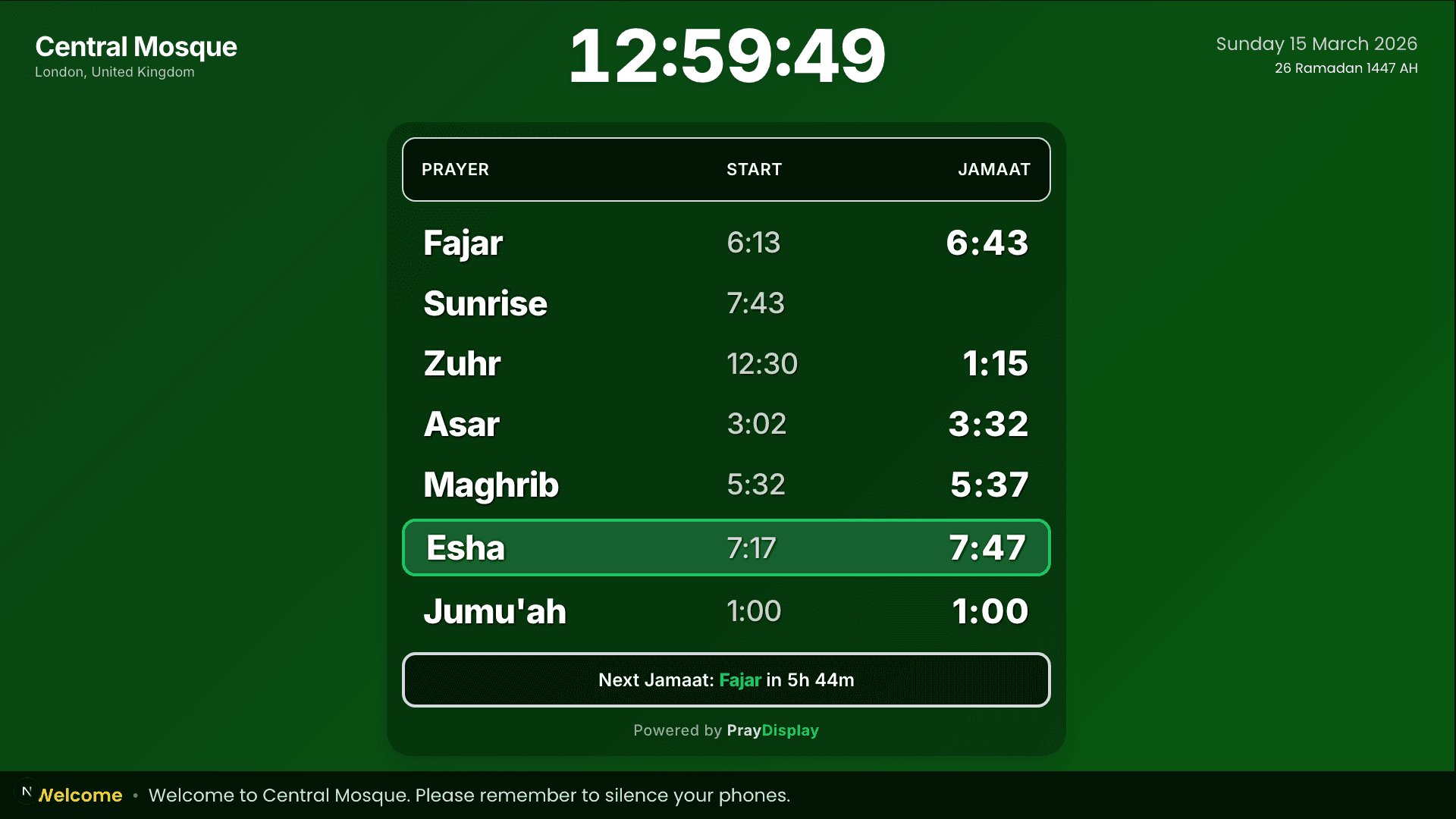
Live display — Central Mosque
50+
Mosques registered
10,000+
Worshippers served daily
99.9%
Uptime reliability
Everything your mosque needs
A complete platform for managing and displaying prayer times, notices, and branding — no technical expertise required.
Prayer Times Management
Upload CSV files or edit times inline. Supports all prayer time formats and automatic Jumu'ah handling.
Beautiful Displays
Portrait and landscape layouts that look stunning on any TV or monitor. Automatic orientation detection.
Custom Branding
Upload your mosque logo, choose gradient colours, pick fonts, and customise prayer name spellings.
Notice System
Create scrolling notices with priority levels. Changes appear instantly on all connected displays.
Real-Time Updates
Changes push to displays instantly via Server-Sent Events. No page refresh needed — ever.
Team Management
Invite team members with role-based access: Owner, Admin, or Editor.
Secure & Reliable
Enterprise-grade security with encrypted passwords, role-based access, input validation, and full audit logging.
Works Anywhere
PWA support for mobile devices. Offline caching ensures the display works even without internet.
Hijri Calendar
Automatic Hijri date display alongside the Gregorian calendar. Always accurate, no manual updates.
Built for mosque committees
Whether you're a small community musalla or a large central mosque, PrayDisplay adapts to your needs.
Committee Members
Manage prayer times and notices from your phone or laptop — no IT skills needed.
Imams & Scholars
Ensure accurate prayer times are always displayed. Update Jumu’ah and Ramadan schedules instantly.
Facilities Managers
Set up a TV once and forget it. The display runs 24/7 with automatic updates and offline support.
Congregants
Share a link or QR code so worshippers can check prayer times on their phones anytime.
Up and running in minutes
Three simple steps to get your mosque display live.
Register your mosque
Sign up, name your mosque, and get a unique display code. It takes less than a minute.
Upload prayer times
Upload a CSV file or use the inline editor to enter your prayer times for the month or year.
Display on your TV
Open the display URL on your TV's browser. Your prayer times appear instantly and update in real-time.
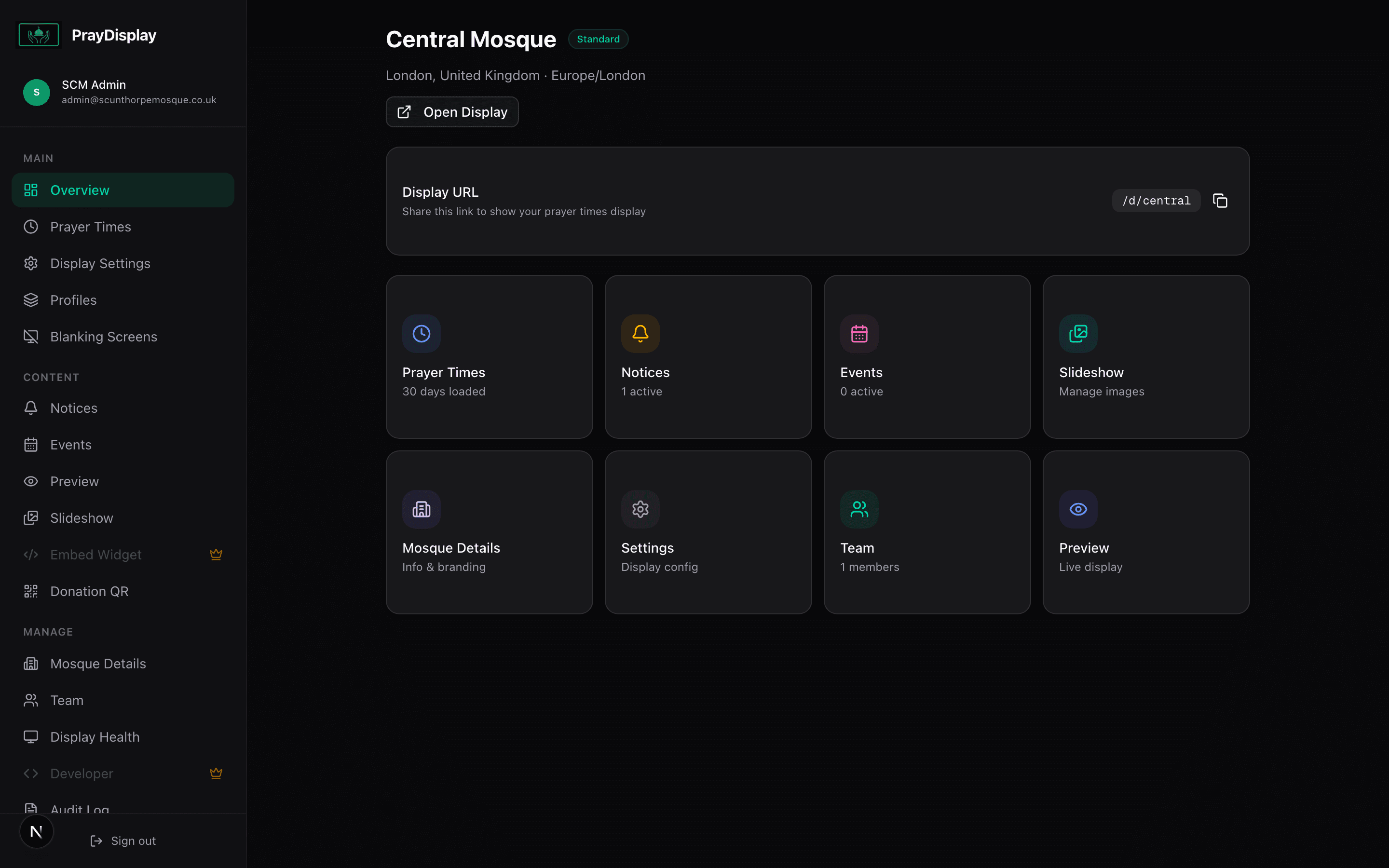
Step 1 — Dashboard
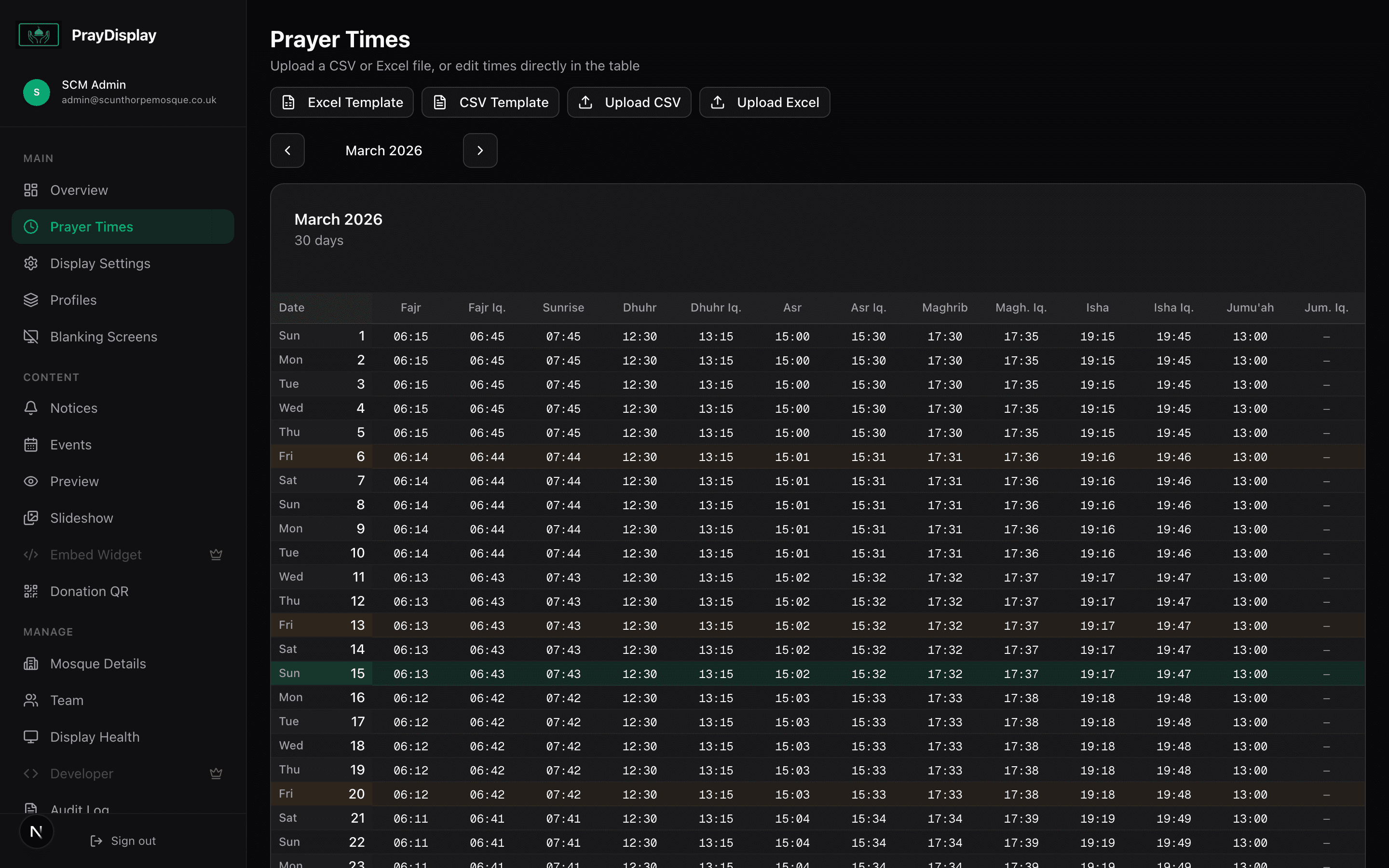
Step 2 — Prayer Times
Step 3 — TV Display
Loved by mosque committees
See what mosque administrators are saying about PrayDisplay.
“PrayDisplay transformed how we communicate prayer times. The setup was incredibly simple and the display looks professional on our TV screens.”
Imam Abdullah
Head Imam, Central Mosque
“We used to print timetables every month. Now everything updates automatically. The congregation loves the modern look and real-time countdown.”
Brother Yusuf
Committee Chair, Community Mosque
“The notice system is brilliant — we can update announcements from our phones and they appear on the display instantly. No more paper notices!”
Sister Fatima
Admin Secretary, Islamic Centre
Free while in beta
PrayDisplay is currently in open beta. Every feature is completely free — no credit card, no limits, no catch. Help us shape the product and your mosque gets early access to everything.
Beta Access
All features free during the beta period
- Unlimited display screens
- CSV upload + inline editor
- Portrait & landscape layouts
- Monthly timetable PWA
- Full theme customisation
- Logo upload & font choice
- Unlimited notices
- Image slideshow
- Team members & RBAC
- Donation QR code
- Audit logging
- Real-time updates & offline caching
Common questions
What hardware do I need?
How do I upload prayer times?
Does it work without internet?
Can our congregation see prayer times on their phones?
Is it really free?
Can multiple people manage the display?
Ready to modernise your mosque display?
Join mosques across the UK using PrayDisplay. All features are free during the beta — no credit card required.