Everything you need to run a modern mosque display
From prayer time management to custom branding, PrayDisplay gives your mosque committee complete control over what appears on screen.
Prayer Times Management
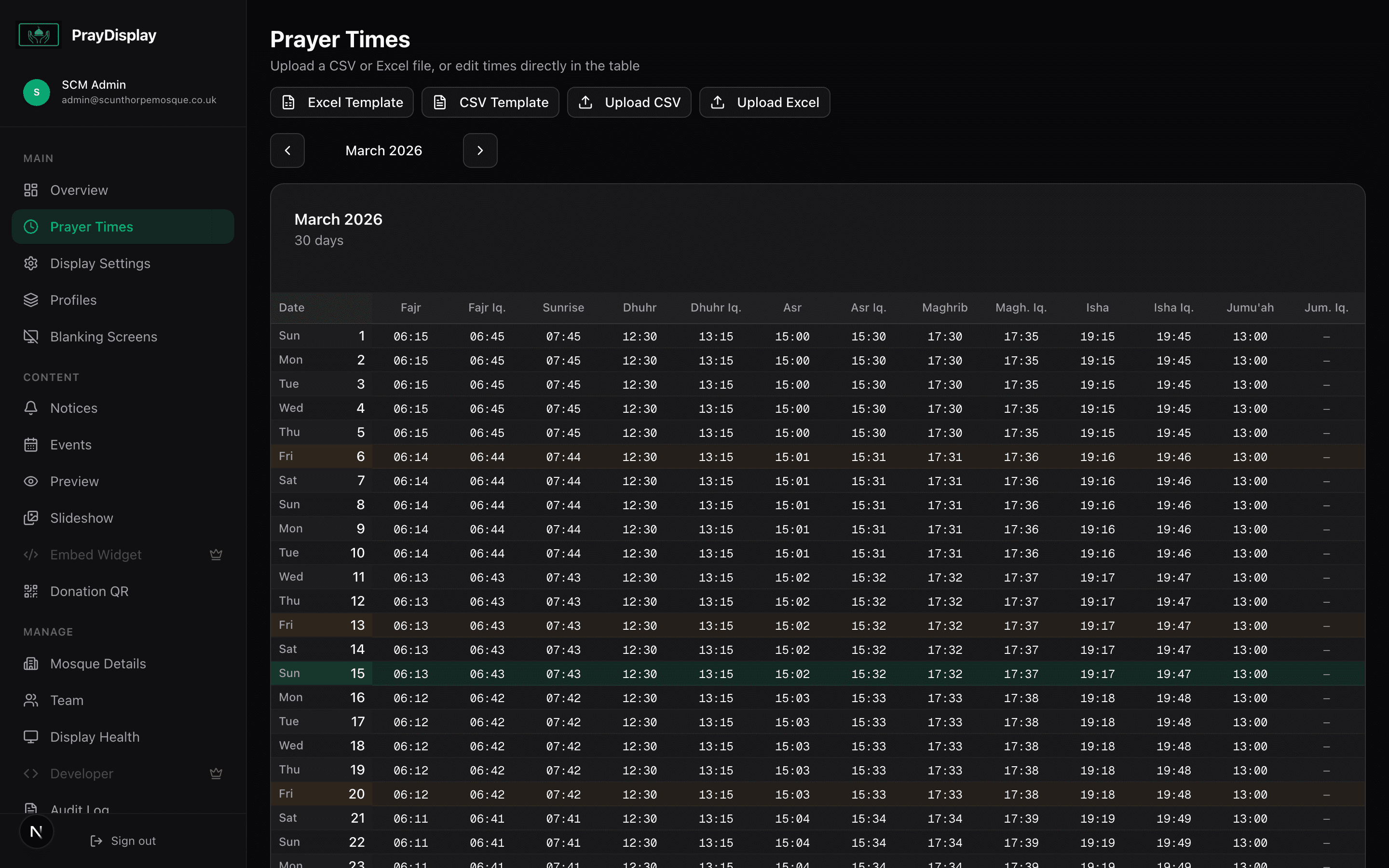
Upload, edit, and manage prayer times with ease. PrayDisplay supports multiple input methods and handles all the complexity for you.
CSV Upload
Upload your entire year's prayer timetable in one go. Supports common CSV formats from popular prayer time sources.
Inline Editor
Edit prayer times directly in a spreadsheet-style editor. Perfect for quick corrections and last-minute changes.
Jumu'ah Support
Automatic Friday prayer handling. Jumu'ah times display correctly on Fridays and hide on other days.
12/24 Hour Format
Choose between 12-hour and 24-hour time formats for both the clock and prayer times independently.
Beautiful, Adaptive Layouts
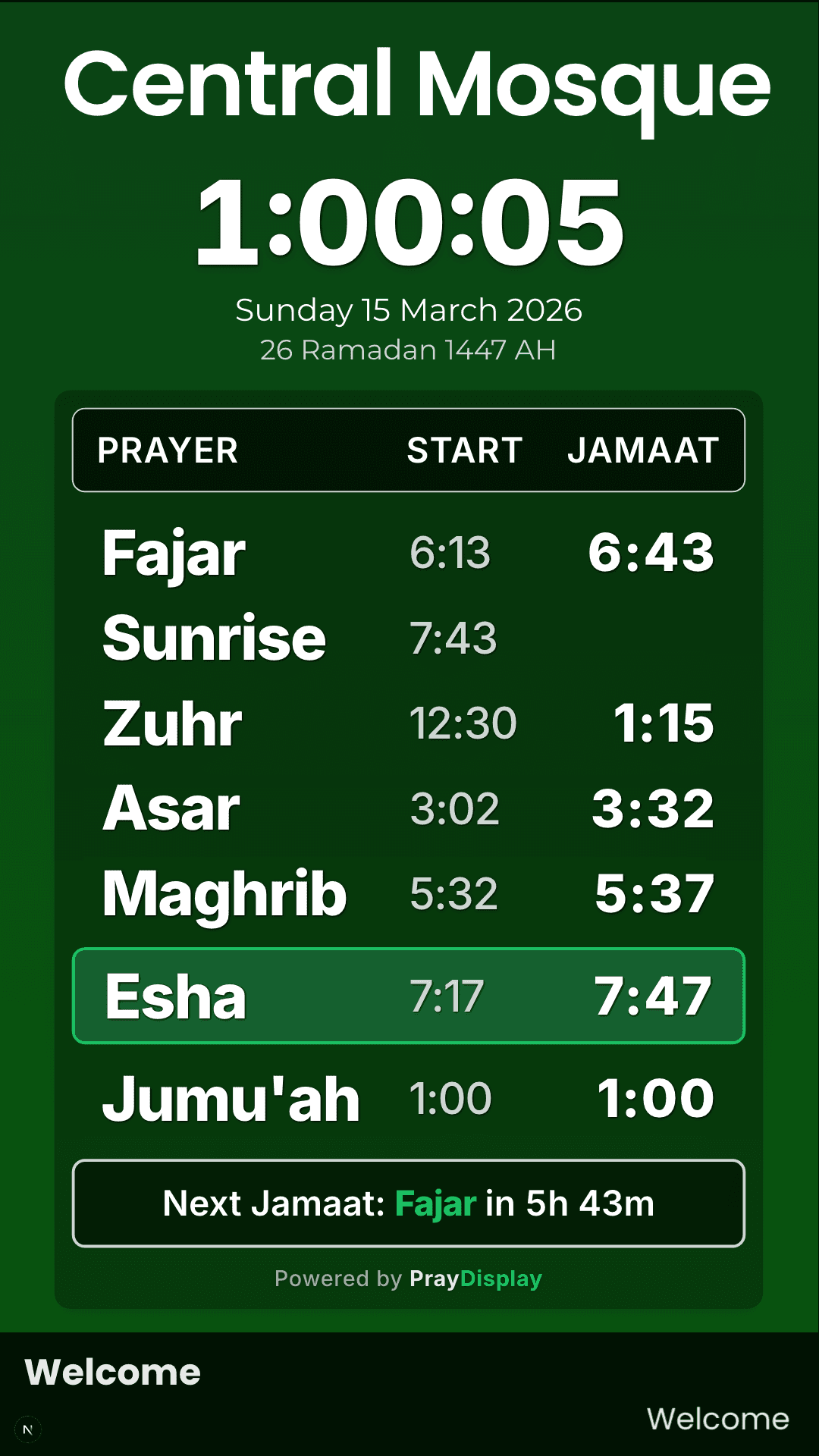
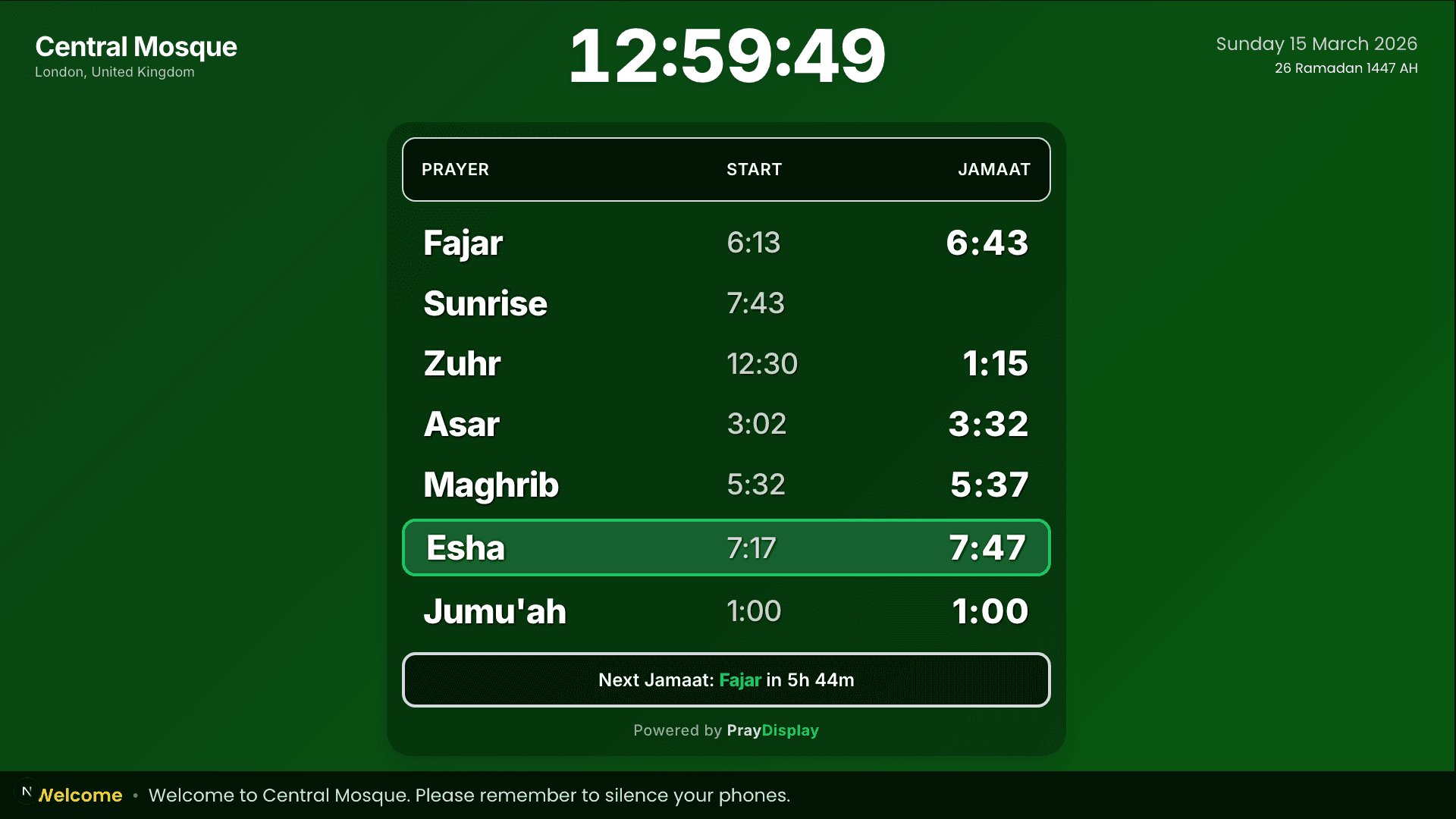
PrayDisplay automatically detects your screen orientation and serves the perfect layout. No configuration needed.
Portrait Mode
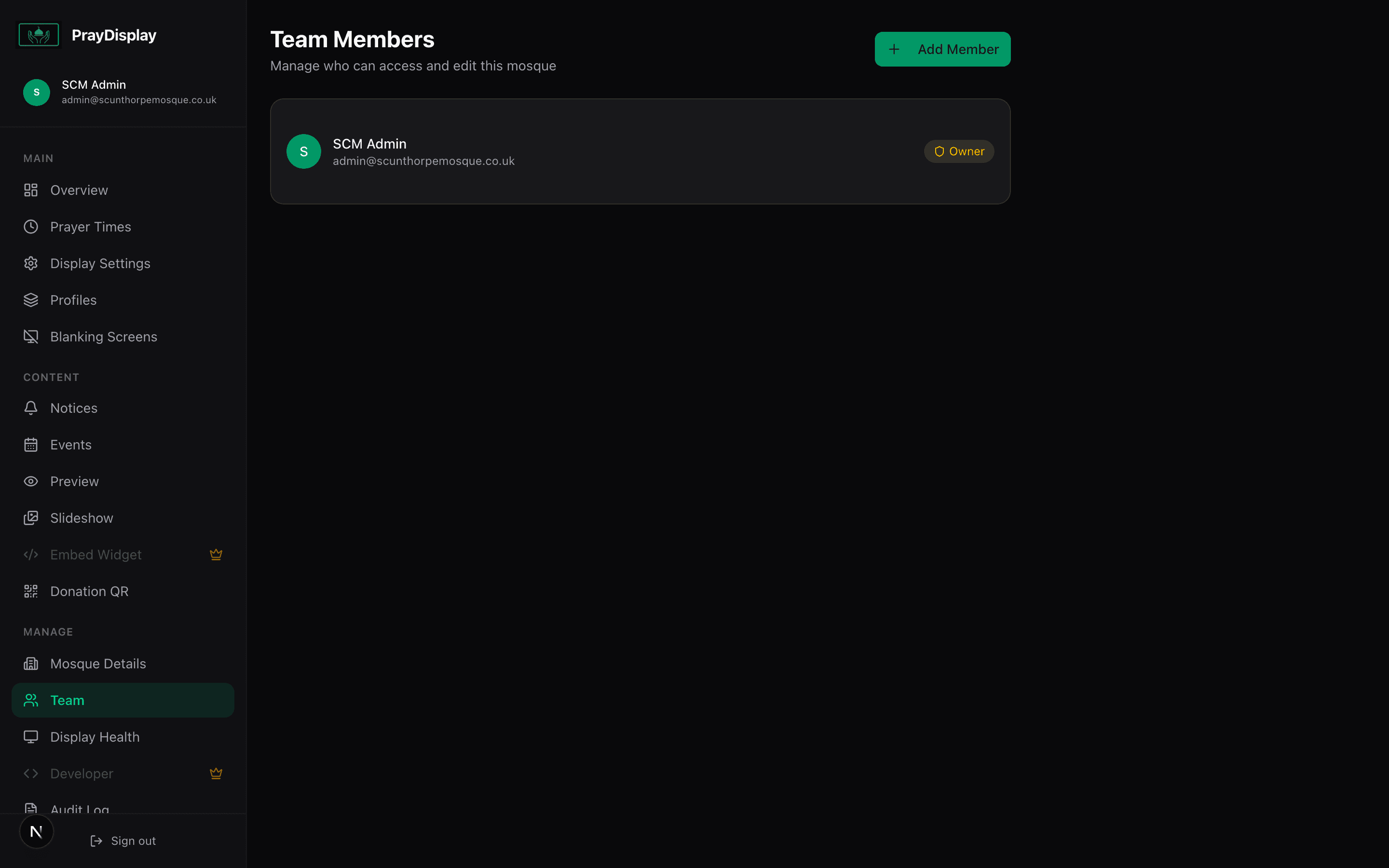
Ideal for TVs mounted vertically. Large clock, prayer grid, countdown timer, and scrolling notice bar.
Landscape Mode
Wide layout with prayer table on the left and a right panel for notices, slideshow images, and clock.
Monthly Timetable (PWA)
Install as a PWA on any device to get a full monthly timetable view with month navigation and today highlighting.
Live Preview
Preview all three layouts from your dashboard before deploying to your TV screens.
Your Mosque, Your Brand
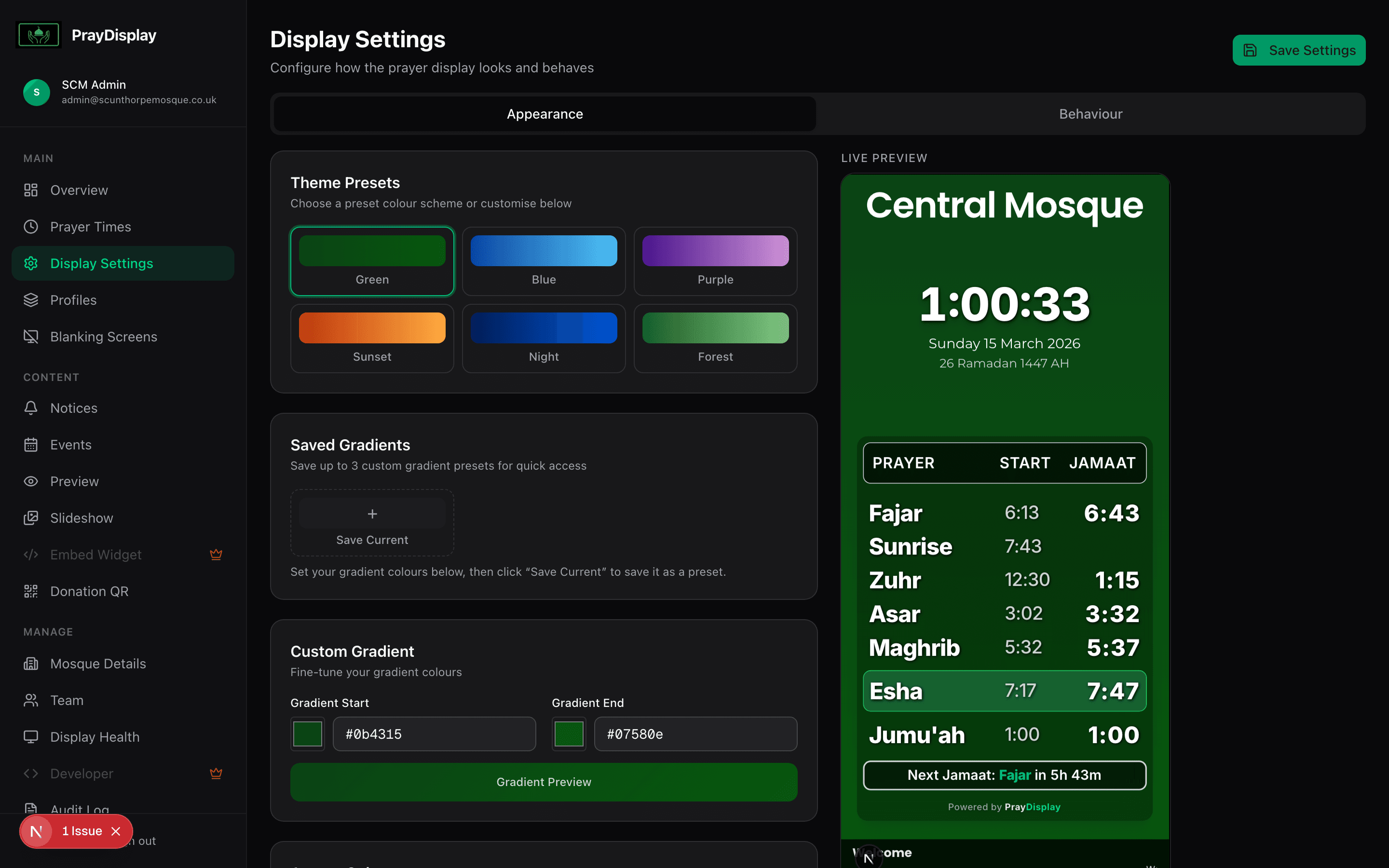
Make the display truly yours with comprehensive branding options that require zero design skills.
Theme Presets
Choose from six beautiful gradient presets — Green, Blue, Purple, Sunset, Night, and Forest — or create your own.
Custom Colours
Fine-tune gradient start, gradient end, and accent colours with a visual colour picker.
Logo Upload
Upload your mosque's logo and it appears in the header of every display layout.
Font Choice
Choose from Inter, Poppins, Amiri, Noto Sans, or Roboto. Adjust font scale from 0.5x to 2.0x.
Notices & Slideshow
Keep your congregation informed with scrolling notices and rotating slideshow images.
Notice System
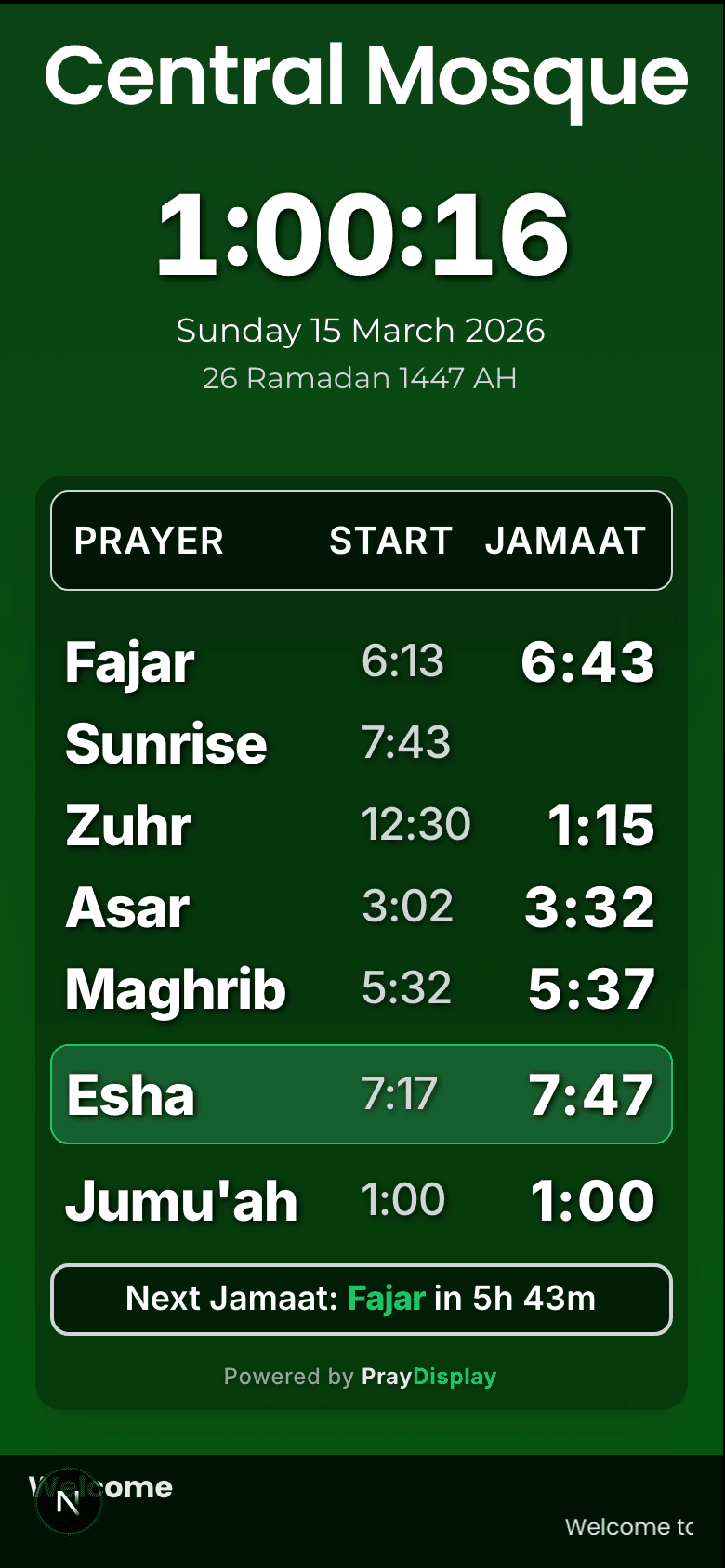
Create notices with priority levels (normal, important, urgent). Toggle active/inactive status instantly.
Image Slideshow
Upload images that rotate on the display during non-prayer times. Perfect for event posters and announcements.
Instant Updates
Every change pushes to all connected displays in real-time via Server-Sent Events. No refresh needed.
Priority Ordering
Urgent notices appear first. Set priority levels to ensure the most important messages are always visible.
Always On, Always Accurate
Built for 24/7 operation on mosque TV screens. PrayDisplay is designed to never let you down.
Offline Support
Displays cache data locally. If the internet drops, the last known prayer times continue to show.
Auto-Reconnect
SSE connections automatically reconnect with exponential backoff. Polling fallback ensures data stays fresh.
Screen Blanking
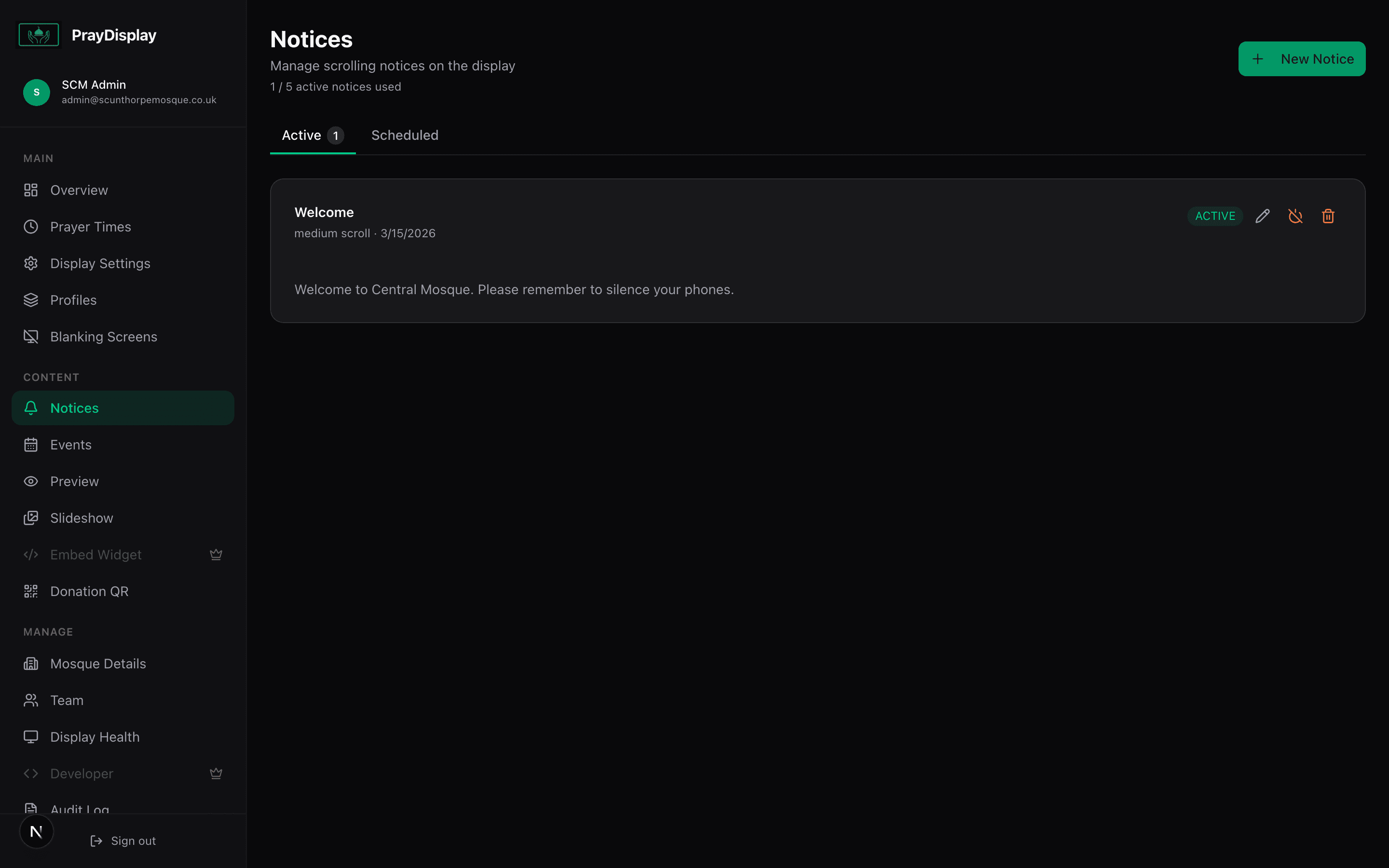
Automatic screen blanking during prayer with customisable duration. Shows 'Prayer in progress' message.
Hijri Calendar
Automatic Hijri date display using the browser's built-in Intl API. Always accurate, zero configuration.
Secure Team Collaboration
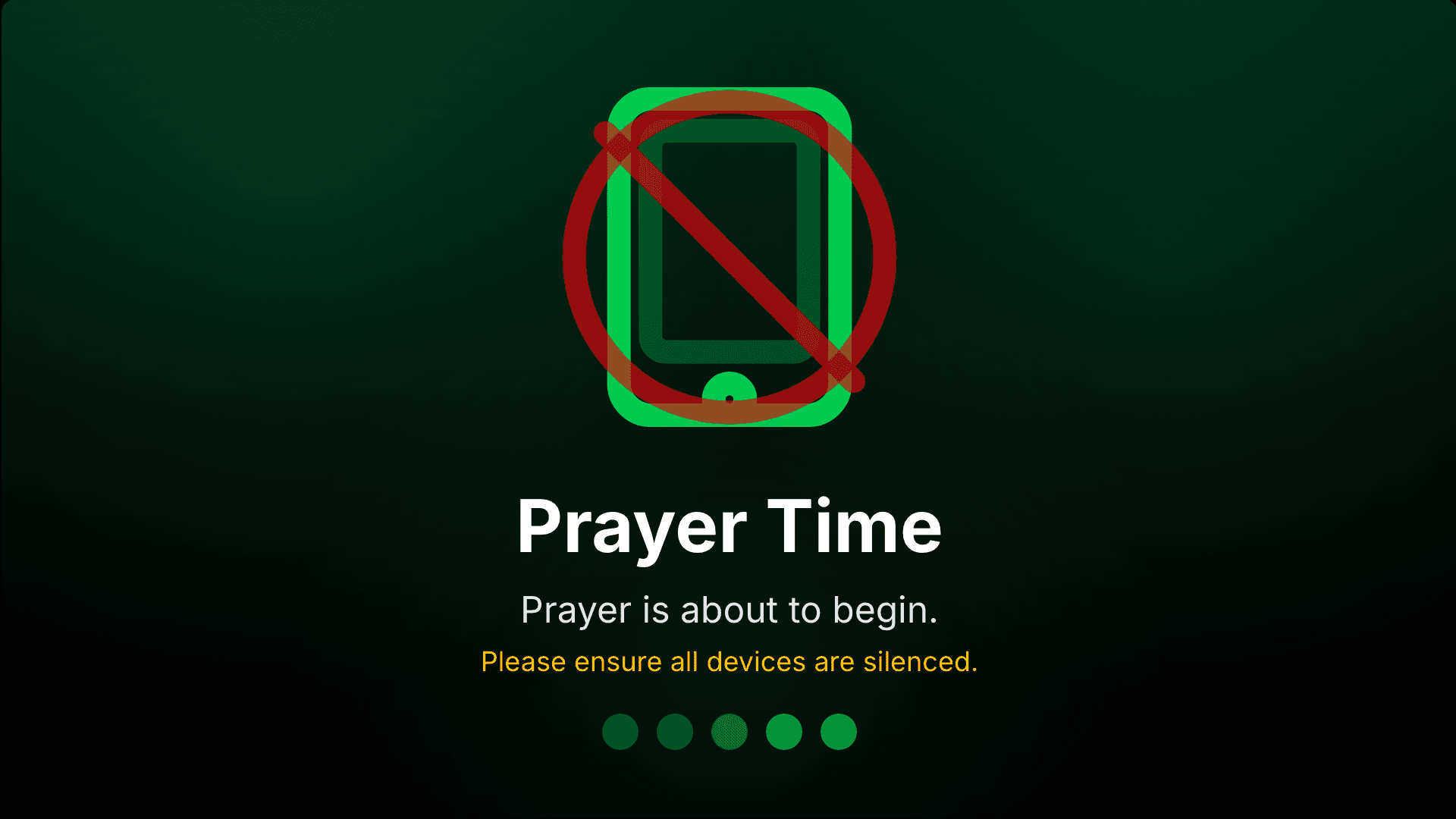
Manage your mosque display as a team with role-based access control and full audit logging.
Team Roles
Invite members as Owner, Admin, or Editor. Each role has carefully scoped permissions.
Secure Authentication
Email verification, password reset, and encrypted credentials. Enterprise-grade security for your mosque.
Audit Log
Every action is logged — who changed what, and when. Full transparency for your committee.
Approval Workflow
New user registrations require admin approval before access is granted. Keep your mosque data safe.
Prayer Times App
Give your congregation a beautiful prayer timetable they can access from any phone — no app store download required.
Install to Home Screen
Works as a Progressive Web App (PWA). Congregants add it to their home screen and it feels like a native app.
Monthly Timetable
Full monthly prayer timetable with start times and jamaat times, automatically synced with your dashboard.
Shareable Link
Each mosque gets a unique link. Share it on WhatsApp, social media, or print it as a QR code for the noticeboard.
Always Up to Date
Times update automatically when you change them in the dashboard. No manual syncing needed.
And much more...
A comprehensive list of every feature included in PrayDisplay.
Ready to get started?
Create your free account and have your mosque display running in under 5 minutes.