Customise Display
Make the display match your mosque's identity with themes, colours, logos, and fonts.
Open Display Settings
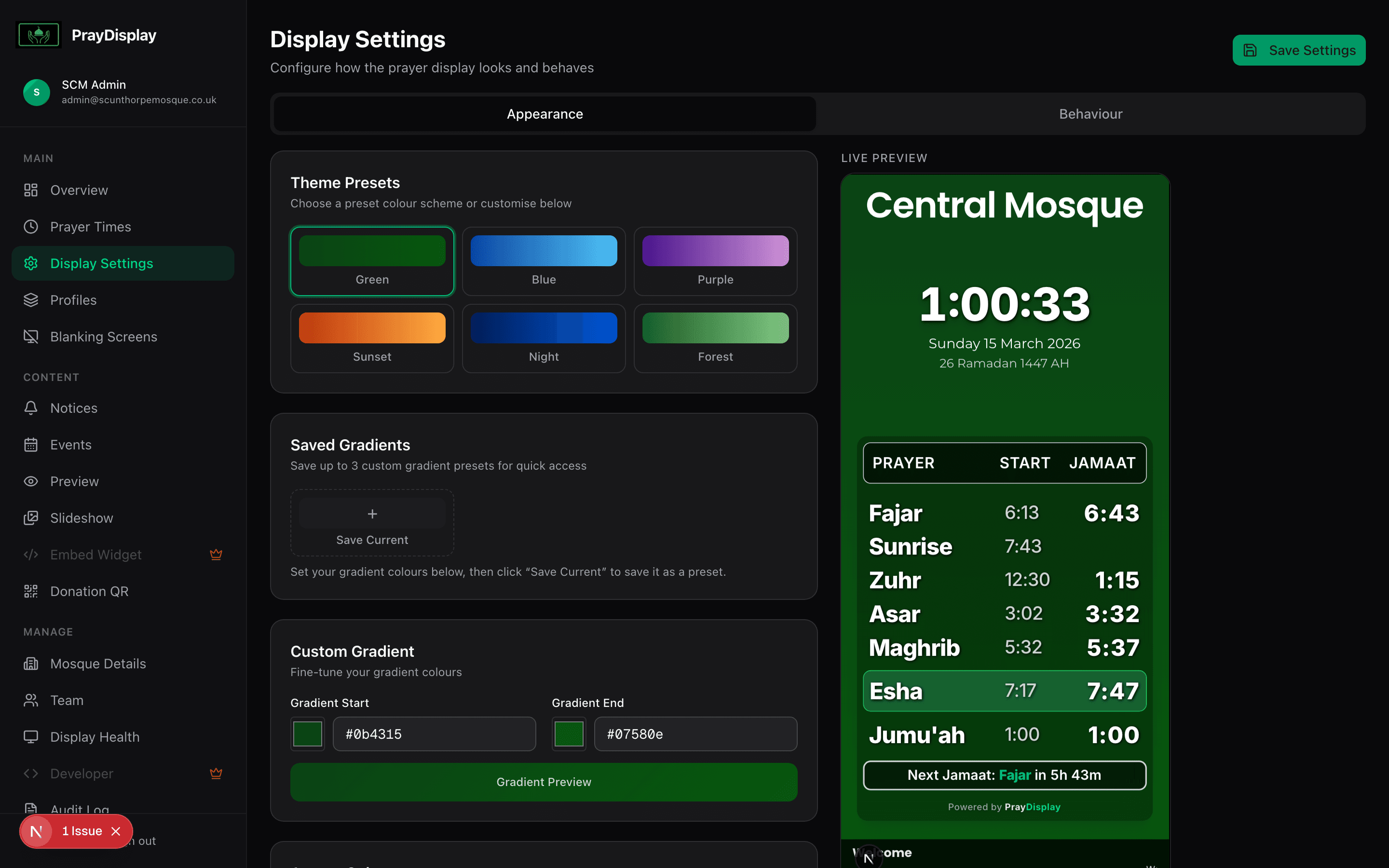
Click 'Display Settings' in the sidebar. You'll see the Appearance tab with theme presets (Green, Blue, Purple, Sunset, Night, Forest) and a live preview of your display on the right. Click any preset to instantly apply it.
Customise colours
Below the presets, use the Gradient Start and Gradient End colour pickers to set your own custom gradient. You can also save up to 3 custom gradient presets for quick switching. The live preview on the right updates instantly as you change values.
Configure display behaviour
Switch to the 'Behaviour' tab to configure clock format (12/24 hour), Hijri date display, sunrise row visibility, custom prayer names (e.g. 'Fajar' instead of 'Fajr'), font family and scale, screen blanking during prayers, and Jumu'ah settings.
Preview on the live display
All changes are reflected instantly on connected displays. Use the 'Preview' link in the sidebar to see how your display looks in landscape, portrait, and mobile layouts.
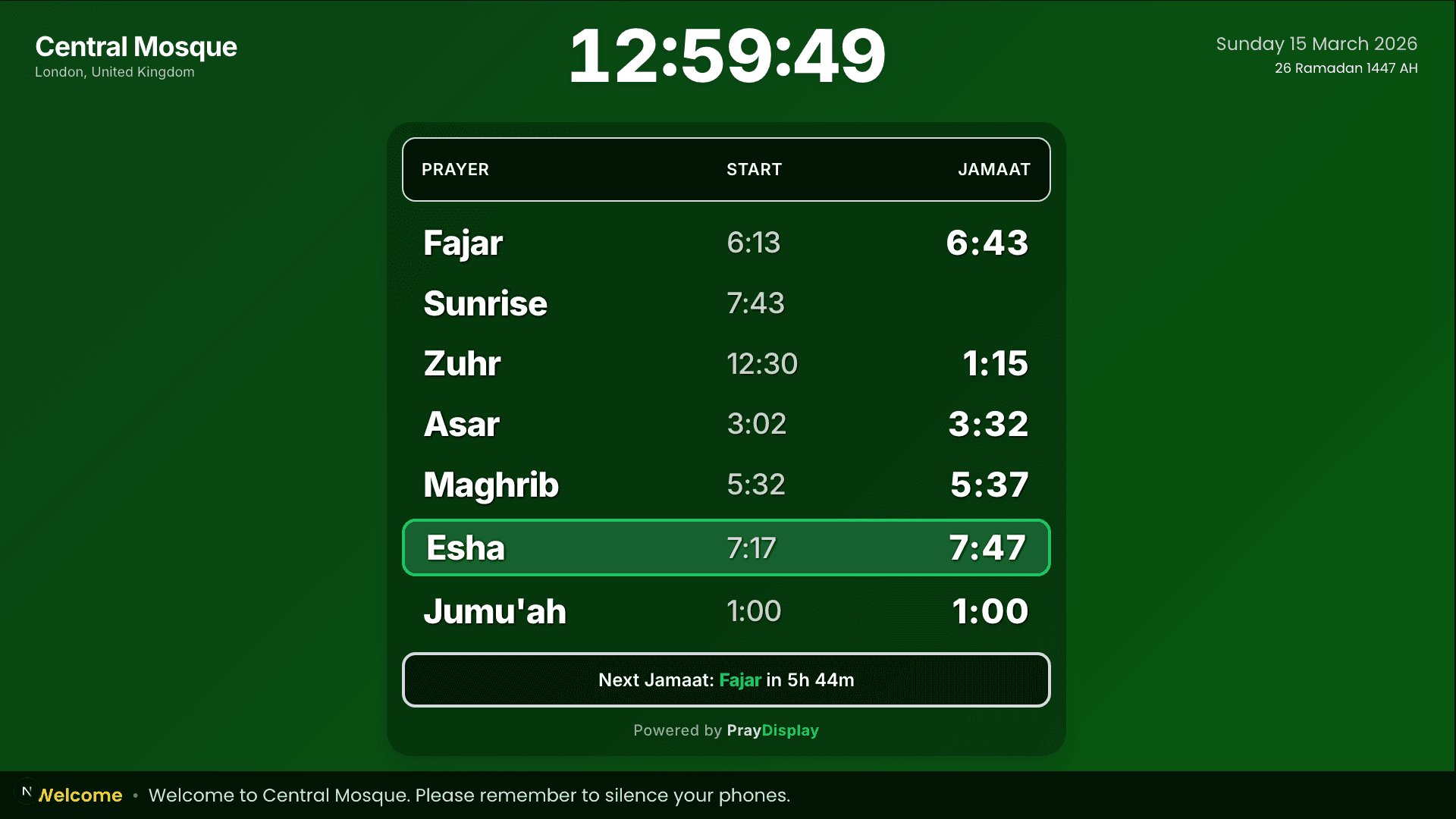
Preview first! Use the 'Preview' link in your sidebar to see exactly how your display will look before showing it on your TV. You can preview portrait, landscape, and mobile layouts.