DocsDonation QR
Donation QR Code
Show a donation QR code on your display to make it easy for worshippers to donate.
1
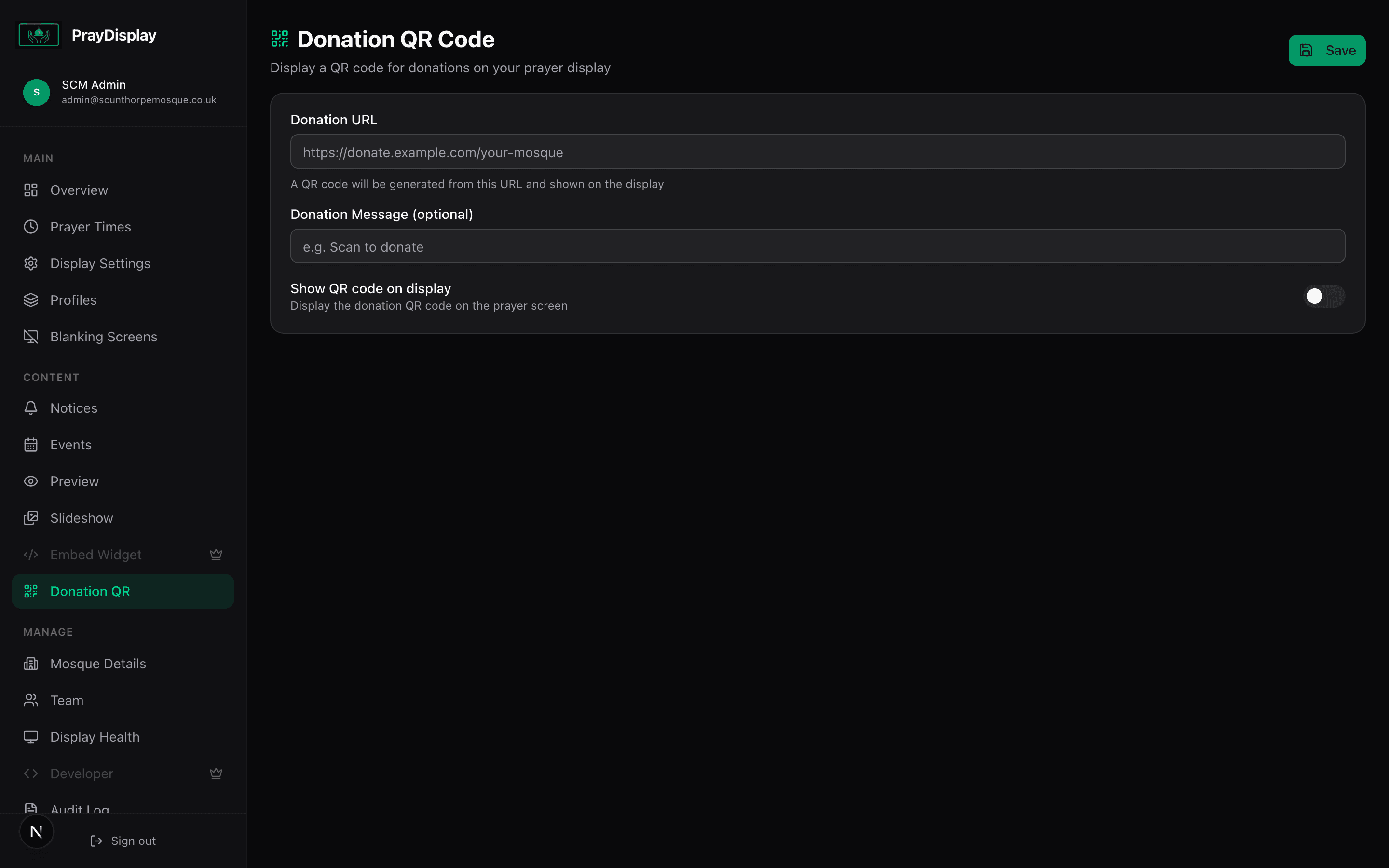
Upload your QR code
Navigate to 'Donation QR' in the sidebar. Upload an image of your donation QR code (from your bank, JustGiving, LaunchGood, etc.). Add a custom message like 'Scan to donate — JazakAllahu Khayran'.
2
Configure display options
Choose whether to show the QR code permanently on the display or only after prayer times (during the post-prayer period when people are most likely to donate). Toggle visibility on or off at any time.
Maximise donations: Showing the QR code right after prayer times is most effective — worshippers are seated, have their phones out, and are in a generous mindset.