Notices
Create scrolling announcements that appear on your display in real-time.
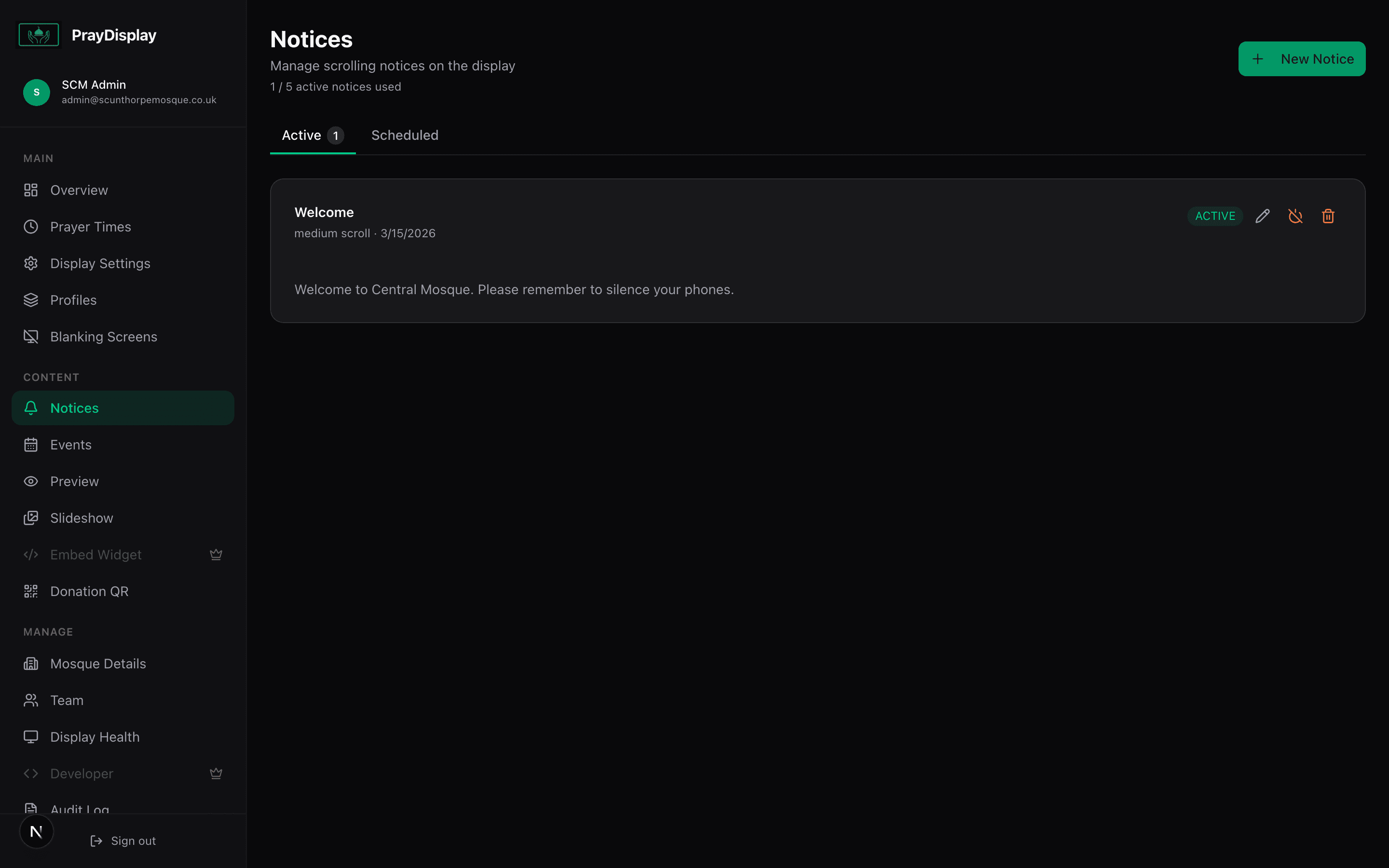
Create a notice
Navigate to 'Notices' in the sidebar. Click '+ New Notice' in the top right. Enter a title and the message content. Choose a scroll speed and optionally schedule start/end dates. Click 'Create' to publish.
Toggle notices on/off
Each notice has active/inactive controls. Use the toggle button to quickly activate or deactivate a notice without deleting it. You can also edit or delete notices using the action buttons on each card. The 'Active' and 'Scheduled' tabs help you organise your notices.
See it live on the display
Active notices appear as a scrolling ticker bar at the bottom of your display in both portrait and landscape layouts. Priority ordering ensures the most important messages are visible first. Changes push instantly — no refresh needed.
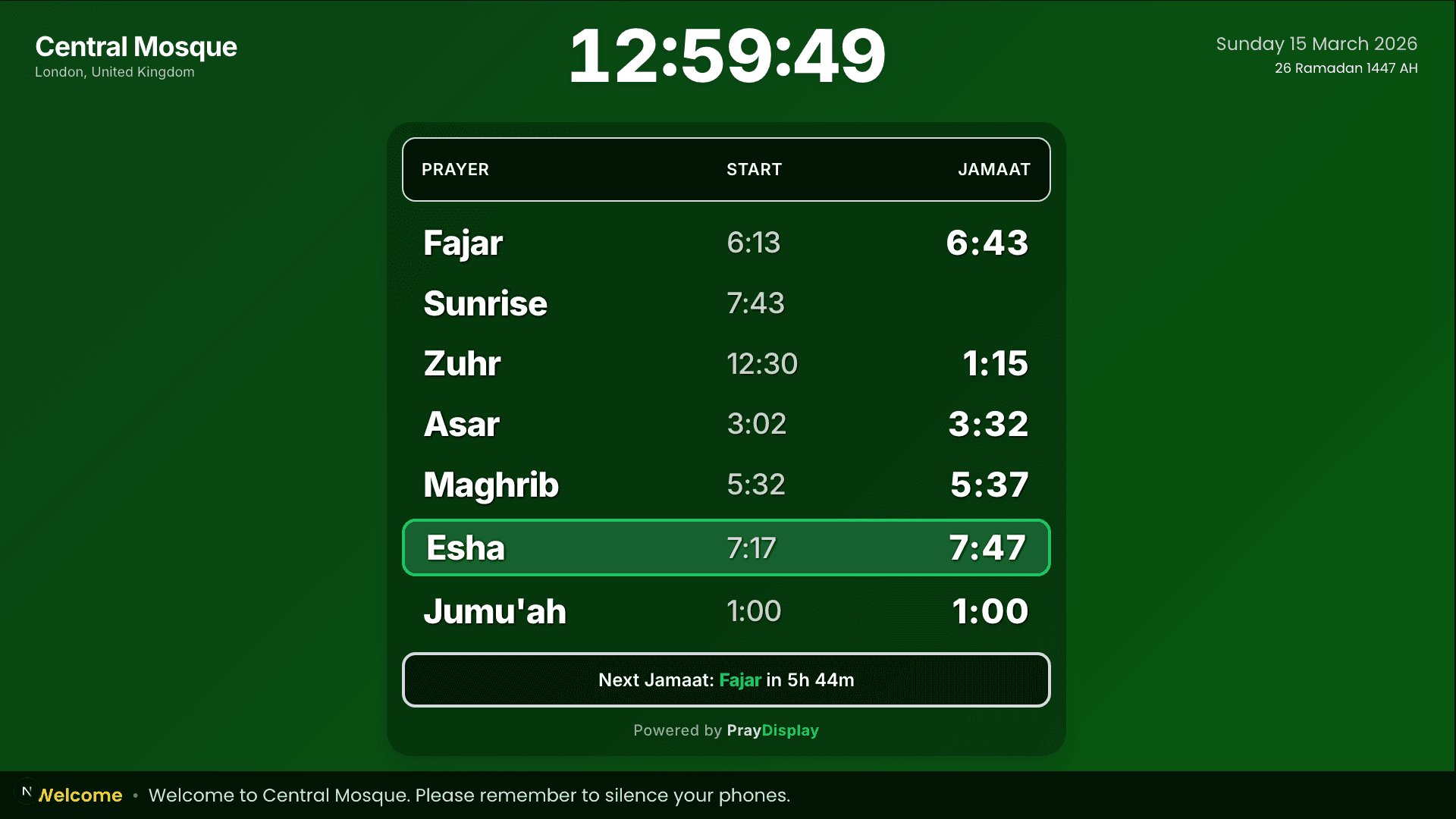
Instant updates: Every change you make pushes to all connected displays in real-time via Server-Sent Events. There's no need to refresh the TV — it updates automatically within seconds.